
Blog
Mesh Nest blog
News, notes, and updates from the studio.
Latest posts
Browse articles and announcements.

DIY: Monitor Your Water Tank Level in Home Assistant with ESPHome
Put a cheap ESP32 and an ultrasonic sensor on your backup water tank, flash it with ESPHome, and get the tank level in Home Assistant plus a phone alert before it runs dry during a water outage.

DIY: Watch Your Inverter Battery in Home Assistant with SolarAssistant
Bring your hybrid inverter and battery into Home Assistant with SolarAssistant's official integration, light up the Energy dashboard, and get a phone alert before the battery runs flat during load shedding.

DIY: Schedule and Shed Your Electric Geyser with Home Assistant
Keep a big SA electric geyser off overnight and during peaks with a Home Assistant Schedule helper—then optionally shed it when your load-shedding area sensor flips on.

DIY Load-Shedding Schedule in Home Assistant with EskomSePush
Pull your area’s EskomSePush schedule into Home Assistant with WernerHP’s Load Shedding integration—then trigger 15-minute warnings and start/end automations without burning the free API quota.

DIY Zigbee2MQTT USB Coordinator Setup for Home Assistant
Set up a USB Zigbee coordinator with Zigbee2MQTT and Mosquitto so your sensors and switches stay local—useful when Wi‑Fi and cloud apps wobble during load shedding.

DIY UPS Monitoring with NUT and Home Assistant for Load Shedding
Wire a USB UPS into Home Assistant with Network UPS Tools (NUT) so you get real on-battery alerts, battery-charge automations, and graceful load shedding—not just a schedule guess.

DIY Load-Shedding Ready Smart Plugs with Home Assistant
Build a practical, local-first smart-plug setup that sheds non-essentials before and during outages—using Home Assistant, schedule sensors, and optional UPS monitoring.

DIY Home Automation: How to Build a Smarter Home Without Breaking the Bank
Want a smarter home without expensive proprietary systems? This practical guide walks you through starting a DIY home automation setup using open-source tools, affordable hardware, and a clear step-by-step approach.
DIY: Monitor Your Water Tank Level in Home Assistant with ESPHome
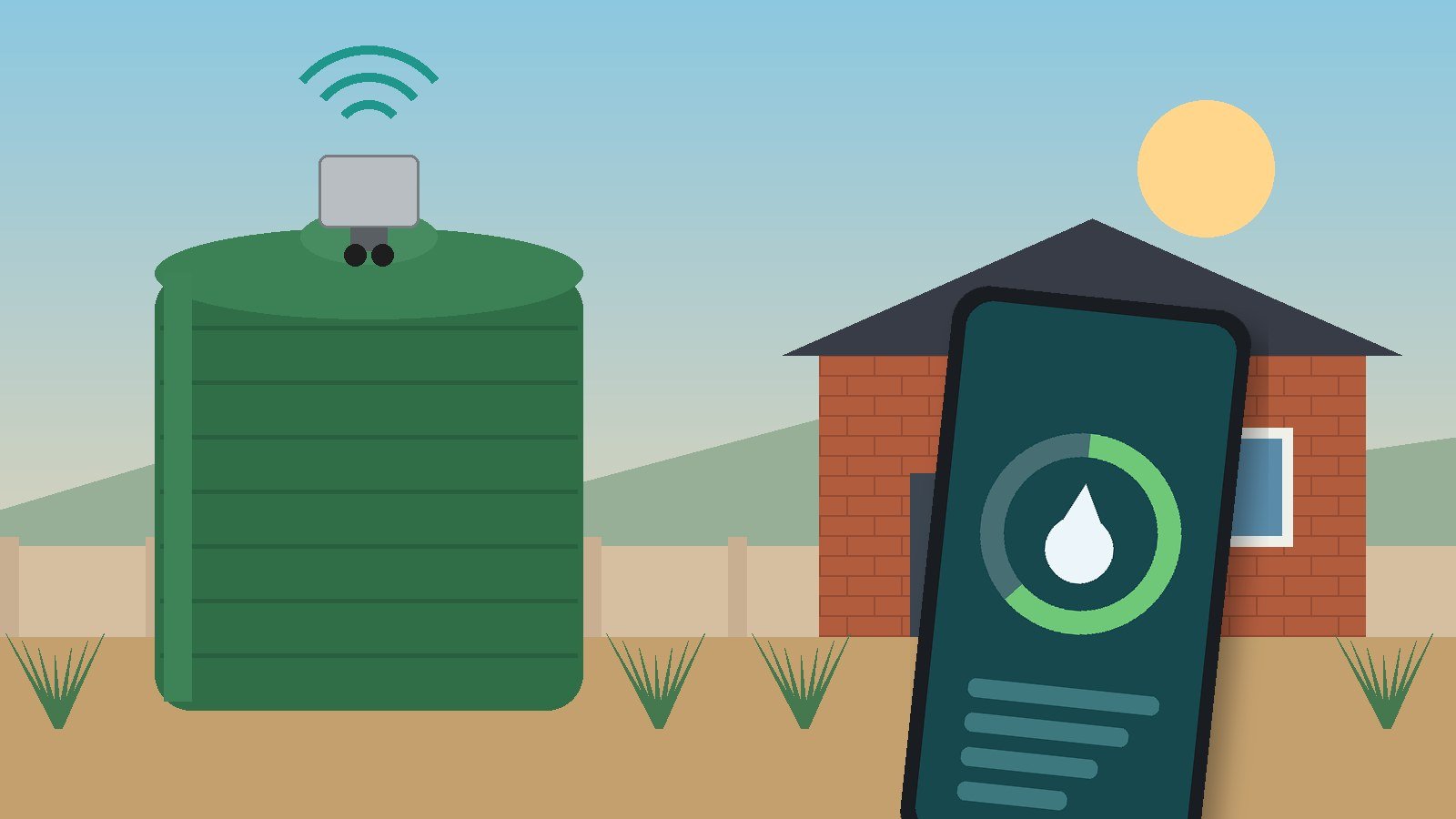
DIY: Monitor Your Water Tank Level in Home Assistant with ESPHome
Put a cheap ESP32 and an ultrasonic sensor on your backup water tank, flash it with ESPHome, and get the tank level in Home Assistant plus a phone alert before it runs dry during a water outage.
Water outages are now a normal part of life in many South African suburbs, whether it is planned maintenance, a burst main, or a reservoir that has not recovered after a power failure. A lot of homes have answered that with a backup tank and a pump. The catch is that you usually only find out the tank is empty when the taps cough.
This DIY puts a small ESP32 board and an ultrasonic distance sensor on the tank lid, flashes it with ESPHome, and sends the water level straight into Home Assistant. From there you get a live percentage on your dashboard and a phone alert when the level drops below a point you choose. Everything stays on your own network, with no cloud app in the middle.
What you need
- An ESP32 development board. Any common ESP32 dev board supported by ESPHome will do (platform docs: https://esphome.io/components/esp32/).
- An ultrasonic distance sensor that uses a trigger pin and an echo pin, like the HC-SR04 that ESPHome's ultrasonic component is written for (https://esphome.io/components/sensor/ultrasonic/). SparkFun's HC-SR04 is sold as a 5 V module (https://www.sparkfun.com/ultrasonic-distance-sensor-hc-sr04.html).
- A weatherproof enclosure, cable glands and a 5 V USB power supply near the tank.
- Home Assistant with the ESPHome Device Builder app installed, or the ESPHome command-line tool on a PC (https://esphome.io/install/).
- The Home Assistant Companion app on your phone for push alerts.
Two limits to know before you buy
- Range. ESPHome's own docs say these simple sensors usually cannot measure much beyond about two metres, and the component's timeout defaults to 2 m. Measure from where the sensor will sit to the bottom of your tank first. If your tank is taller than that, this exact sensor is the wrong tool.
- Voltage. The ESP32's pins are 3.3 V. If your sensor module runs at 5 V, put a level shifter or a simple resistor divider on the echo line so it does not feed 5 V into the board. Check your module's datasheet.
Safety first
This project is low-voltage only. Power the ESP32 from a proper USB adapter on an existing plug point; do not tap into pump or borehole wiring, and leave any changes to mains circuits to a registered electrician. Keep electronics out of the water itself and make sure nothing you drill into the lid lets dirt or insects into drinking water.
Step 1: Create the device in ESPHome
Follow ESPHome's getting-started guide (https://esphome.io/install/getting-started/): open the Device Builder, choose New Device Setup, pick ESP32, and enter your Wi-Fi details. The very first install has to go over a USB cable; after that, updates go over Wi-Fi.
Step 2: Wire the sensor
- Sensor VCC to the supply your module needs, and GND to the ESP32's GND.
- Sensor Trig to a free GPIO (this example uses GPIO5).
- Sensor Echo to another GPIO (GPIO18 here), through a level shifter or divider if the module is 5 V.
Mount the sensor pointing straight down at the water, away from the inlet pipe and the tank wall, so it does not see splashes or the side of the tank instead of the surface.
Step 3: Add the distance sensor to the config
Edit the device in the Device Builder and make it look like this (your wizard will already have filled in the top sections; keep its generated keys and secrets):
esphome:
name: water-tank
esp32:
board: esp32dev
wifi:
ssid: !secret wifi_ssid
password: !secret wifi_password
api:
ota:
- platform: esphome
logger:
sensor:
- platform: ultrasonic
trigger_pin: GPIO5
echo_pin: GPIO18
name: "Tank distance"
id: tank_distance
update_interval: 30s
filters:
- median:
window_size: 5
send_every: 5
The median filter takes five readings and passes the middle one, which throws away the odd spike from a ripple or an echo off the wall (filter docs: https://esphome.io/components/sensor/). Click Install to build and flash it, then open Logs and check the distance readings look sensible.
Step 4: Turn distance into a percentage
The sensor tells you how far the water is from the lid, which is upside down from what you want. Measure two numbers on your own tank: the distance from the sensor to the tank floor (empty) and the distance from the sensor to the water when the tank is at its overflow (full). Then work out the level like this:
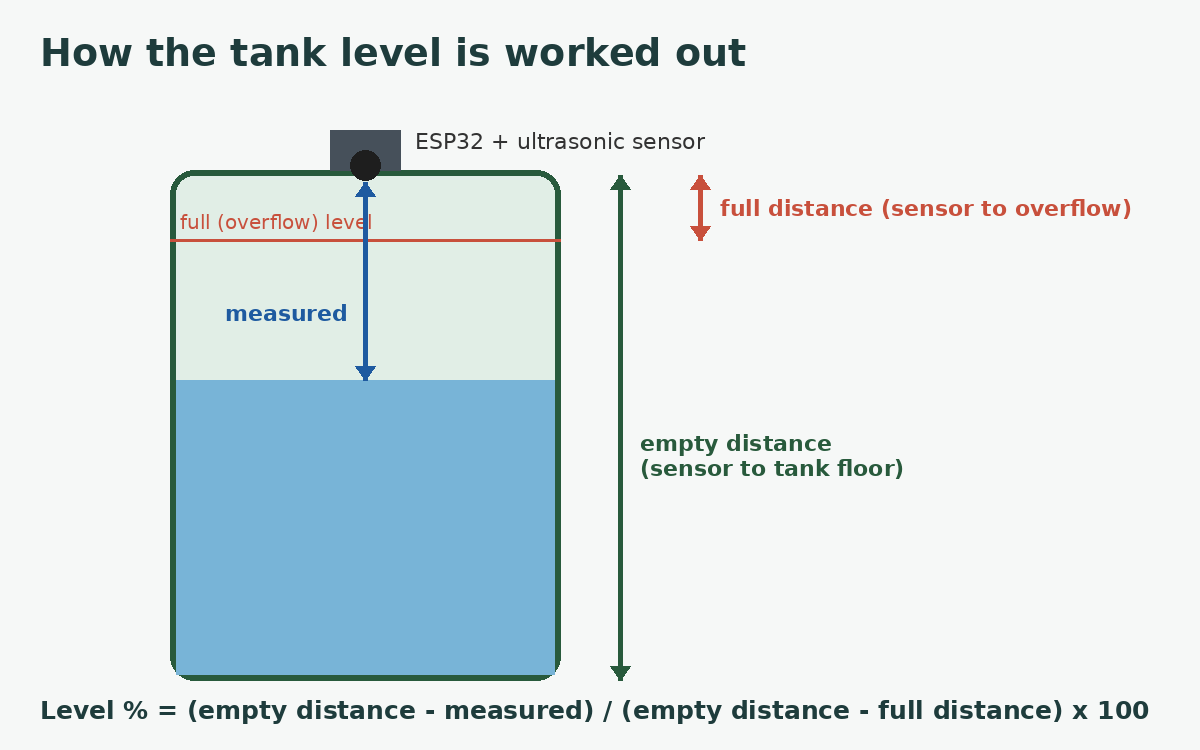
Add a template sensor under the same sensor: block (template sensor docs: https://esphome.io/components/sensor/template/). The two numbers below are example values only; replace them with your own measurements in metres.
- platform: template
name: "Tank level"
unit_of_measurement: "%"
accuracy_decimals: 0
update_interval: 60s
lambda: |-
const float empty_m = 1.80; // EXAMPLE: sensor to tank floor, measure yours
const float full_m = 0.30; // EXAMPLE: sensor to water at overflow, measure yours
float d = id(tank_distance).state;
if (isnan(d)) return {};
float pct = (empty_m - d) / (empty_m - full_m) * 100.0;
if (pct < 0.0) pct = 0.0;
if (pct > 100.0) pct = 100.0;
return pct;
Install again. Home Assistant should now show a Tank level sensor from 0 to 100%. If you want litres instead, multiply the percentage by your tank's capacity from the manufacturer's spec sheet.
Step 5: Add the device to Home Assistant
Once the board is on Wi-Fi, Home Assistant usually discovers it on its own and offers to set it up. If it does not, go to Settings, then Devices & services, click Add Integration, search for ESPHome, and enter water-tank.local or the board's IP address (integration docs: https://www.home-assistant.io/integrations/esphome/).
Step 6: Get a phone alert before the tank runs dry
Create an automation with a numeric state trigger (https://www.home-assistant.io/docs/automation/trigger/) and a Companion app notification (https://companion.home-assistant.io/docs/notifications/notifications-basic/). A sketch, with your own entity and phone names:
alias: "Water tank low"
triggers:
- trigger: numeric_state
entity_id: sensor.water_tank_tank_level
below: 25
for: "00:10:00"
actions:
- action: notify.mobile_app_your_phone
data:
title: "Water tank low"
message: "Tank is at {{ states('sensor.water_tank_tank_level') }}%. Go easy on the water."
- Pick your own threshold. 25% is a placeholder; set it from how fast your household actually drains the tank.
- The ten-minute "for" stops a brief dip while the pump kicks in from spamming you.
- Your entity ID comes from the device name plus the sensor name; check it under Developer tools, then States.
Ideas once it works
- Get a second alert when the tank is back above, say, 90%, so you know the municipal supply has returned and refilled it.
- Add the tank level to the same dashboard as your load-shedding schedule and inverter battery from earlier MeshNest posts, so one screen tells you how long the house can ride out an outage.
- If a smart switch already controls a filling or garden pump (installed safely by an electrician), add a condition that stops it when the tank is low.
Troubleshooting
- Readings stuck at the maximum or unknown? The echo is not coming back. Check the wiring, the level shifting on the echo pin, and that the tank is not deeper than the sensor can see.
- Numbers jumping around? Move the sensor away from the inlet and walls, or increase the median window.
- Condensation on the sensor? Tanks are humid inside. Keep the board in its enclosure, and if the sensor face fogs up, a sealed waterproof trigger/echo module may suit you better. Check its datasheet before you buy.
- Device offline? Tanks often sit at the far edge of the property. Check its Wi-Fi signal in the ESPHome logs, and add an access point closer to the tank if needed.
Sources
- ESPHome ultrasonic distance sensor: https://esphome.io/components/sensor/ultrasonic/
- ESPHome sensor component and filters: https://esphome.io/components/sensor/
- ESPHome template sensor: https://esphome.io/components/sensor/template/
- ESPHome getting started: https://esphome.io/install/getting-started/
- ESPHome ESP32 platform: https://esphome.io/components/esp32/
- SparkFun HC-SR04 product page: https://www.sparkfun.com/ultrasonic-distance-sensor-hc-sr04.html
- Home Assistant ESPHome integration: https://www.home-assistant.io/integrations/esphome/
- Home Assistant automation triggers: https://www.home-assistant.io/docs/automation/trigger/
- Home Assistant Companion app notifications: https://companion.home-assistant.io/docs/notifications/notifications-basic/